Birthday Greetings & Wishes
- 4.8
- Rating
- 1.00M
- Installs
- Free
- Price

 Analysis by App-foxy
Birthday messages are easy to postpone until the last minute, especially when I want something warmer than a plain text but do not have time to design a card from scratch. Birthday Greetings & Wishes is built for that small, familiar problem. It is a free events app from Galaxy studio apps that brings birthday cards, decorative frames, GIFs, and Father’s Day wishes into one place. I found its appeal less in originality than in speed: it gives me a starting point when I need to send something pleasant without opening a full design editor.
The app is aimed at everyday greetings rather than professional invitations or elaborate social posts. That distinction matters. I would recommend it to someone who wants a ready-made visual message for a relative, friend, or colleague, particularly when choosing fonts, arranging images, and writing a complete design feels like unnecessary work. I would not treat it as a replacement for a flexible graphics tool. Its value is the short path from opening the app to finding a usable greeting.
How the app feels to use in real situations
When I use Birthday Greetings & Wishes for an everyday message, the main benefit is having a visual starting point instead of facing a blank screen. This section looks at how that collection-based approach can make a rushed greeting easier to choose, while still leaving me responsible for matching the design to the person receiving it.
You May Also Like

 Blood Strike: 2.5 Anniversary
Blood Strike’s Loadouts Turn Every Drop Into a Tactical Gamble
A close look at Blood Strike’s custom loadouts: how fast access to signature weapons reshapes its battle royale rhythm, rewards preparation, and narrows the gap between fights.

 Pandora - Music & Podcasts
Pandora’s Music Is Easy to Start, but Harder to Recover
Pandora’s strength is its low-effort path from a seed to a station. Its weak spot is how much confidence it asks you to place in connection, setup, and quiet recovery.

 8 Ball Pool
 Is Built on Rivalries, Rematches, and Routine
A close look at the rivalries, rematches, shared routines, and unanswered safety questions that turn a quick pool match into a persistent mobile community.

 Samsung Music
’s Quiet Strength Is Playing What You Already Own
Its reach comes less from spectacle than from dependable access to a personal library. That simplicity is both the app’s strongest retention engine and its ceiling.

 AccuWeather: Weather Radar
AccuWeather Review: A Quick, Clear Forecast for Everyday Decisions
For everyday plans, the best forecast is the one you can understand quickly. AccuWeather makes rain timing, radar, and local conditions easy to act on, with a few trade-offs.

 Hill Climb Racing
Why Hill Climb Racing Still Turns Crashes Into One More Run
A tiny car, a bumpy hill and one more upgrade: Hill Climb Racing keeps resurfacing because its simple chaos makes every near-miss feel personal.
More From Our News Desk
View All News


Readability and navigation come first
My first impression was that the concept is easy to understand. The main purpose is immediately recognizable, and the collection-based approach makes sense for a greeting app: I can look for a birthday card, a frame, a GIF, or a Father’s Day message instead of beginning with a blank canvas. That reduces the mental effort required from someone who only wants to send a kind message quickly.
The strongest accessibility benefit here is the limited decision-making. A person who is not comfortable with design software does not need to learn layers, alignment tools, image adjustments, or export settings before producing something shareable. The categories act as a simple route through the experience. For older family members or occasional users, that familiar, direct structure can be more helpful than a powerful editor filled with controls.
At the same time, a collection of visual greetings can become tiring if browsing depends heavily on recognizing small previews or decorative differences. When several cards use similar colors, lettering, and ornaments, I have to slow down and inspect them rather than relying on clear functional labels. That is not a serious obstacle for a quick search, but it does make the experience less efficient for anyone with reduced visual attention or who becomes overwhelmed by dense galleries.
I also think the app works best when I already know the kind of message I want. If I decide, for example, that I need a cheerful birthday GIF for a friend, the purpose is clear. If I am unsure whether a frame, card, or animated greeting would be most appropriate, browsing takes more personal judgment. The app helps with presentation, but it does not replace the social decision of choosing a tone that fits the recipient.
The practical advantage is that it turns greeting creation into selection rather than design. That is a meaningful difference for people who find creative apps intimidating. However, anyone expecting detailed search, extensive personalization, or a carefully organized professional asset library may find the browsing experience more basic than expected.
Visual comfort and the role of decorative content
Birthday Greetings & Wishes is naturally a visual app, so its usefulness depends on how comfortable I am looking at colorful cards, frames, and animated material. The same decorations that make a greeting feel festive can also make text harder to read. When a message sits over a busy background, I need to judge whether the words remain clear before sending it. A design that looks attractive in a preview is not automatically easy for every recipient to read.
For that reason, I would use the simplest available design when sending a message to someone with low vision, light sensitivity, or difficulty separating text from background detail. A calm frame with strong contrast is usually more considerate than the most elaborate option. The app can supply the visual starting point, but I still have to make the final accessibility decision because decorative content does not guarantee readable communication.
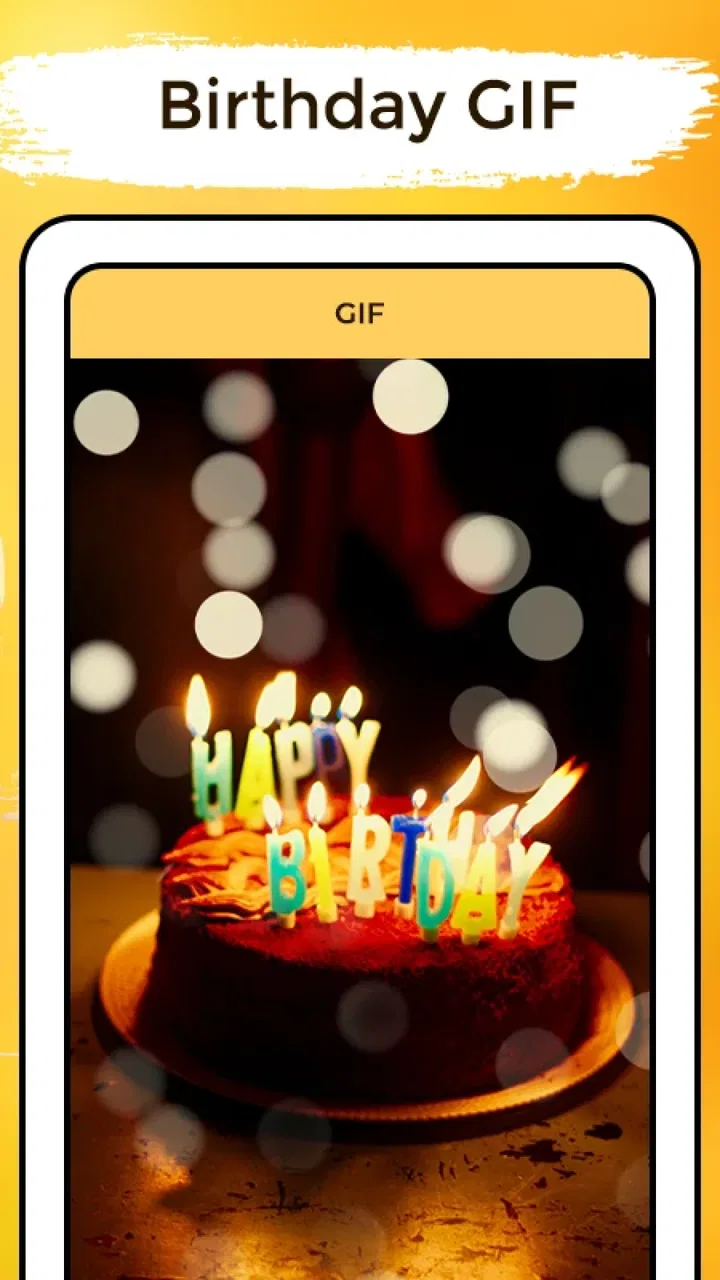
GIFs add movement and can make a greeting feel lively, but animation is not suitable for every person or setting. I would avoid sending a busy animated message to someone who dislikes flashing visuals, is reading on a small screen, or may be checking messages in a quiet workplace. A static card is often the safer choice when the recipient’s preferences are unknown. This is one of the app’s important trade-offs: variety helps expression, while variety also requires more care.
Text size is another consideration. A greeting may be legible in the app’s preview but appear smaller once viewed inside a messaging service or on an older phone. I would zoom in before sharing when possible and choose a card whose wording is short enough to scan. This is especially useful for grandparents or relatives who prefer large, uncomplicated messages rather than dense paragraphs surrounded by decorations.
Motor demands and simple sharing habits
The app’s basic purpose does not require advanced hand control. I am mainly browsing, selecting, and preparing a greeting, rather than drawing with precision or arranging multiple objects. That makes it more approachable than a traditional design editor for users who find drag-and-drop interfaces difficult or tiring.
Still, visual galleries can require repeated tapping and scrolling. Someone with tremors, limited reach, or difficulty making accurate selections may find small preview areas frustrating, particularly when several choices are close together. I would approach the app with the phone’s existing accessibility settings enabled, such as larger system text or touch adjustments where available. Those settings belong to the device rather than the app, but they can make browsing more manageable.
A useful workflow is to decide the recipient and purpose before opening the app. Instead of searching aimlessly, I can choose one of three intentions: a static birthday card, a decorative frame, or an animated greeting. That reduces unnecessary gestures and makes the session shorter. It is a small habit, but it matters for anyone who experiences fatigue from prolonged screen interaction.
I also prefer to prepare the message before I start browsing. If I already know the words I want to send, I can concentrate on finding an appropriate visual rather than trying to compose while switching between apps. This is particularly helpful when a user relies on voice input or has difficulty typing on a small keyboard. The app supplies the presentation; the personal wording can be prepared in the most comfortable tool.
Using it when attention, time, or connectivity is limited
The most realistic use case is a forgotten birthday during a busy day. I might remember the date while commuting, between appointments, or late in the evening. In that situation, a ready-made greeting is more useful than a blank design screen. I can choose a card that matches the relationship, check that the text is readable, and send it through my usual communication method.
That quick workflow also suits people who are not confident writers. A visual greeting can communicate warmth when composing a personal paragraph feels difficult. It may help someone with limited language confidence, a temporary illness, or a cognitive load that makes open-ended writing exhausting. I would still add a short personal sentence whenever possible, because a generic image feels more thoughtful when paired with a direct note.
The app can also be useful for family members who share responsibilities. One person might select a frame, another might choose the wording, and a third might handle sending it. Keeping those steps separate can make the task easier for someone who has difficulty with one particular part of the process. For example, a relative who struggles with visual selection could dictate the message while another family member chooses the artwork.
Situational access is not only about disability. Screen glare, poor lighting, one-handed use, a low battery, and a noisy environment can all change whether a colorful greeting is convenient. I would avoid making a last-minute choice in bright sunlight if the preview is difficult to inspect. In a noisy place, a static card is more practical than relying on an animated message whose effect may be missed or whose details may be hard to check.
The app is free to install, which lowers the barrier to trying it. It is marked for Everyone, so its general audience is broad. The developer is Galaxy studio apps, and the app has reached over five hundred thousand installs with a strong average rating of four point eight from around two thousand ratings. Those figures suggest that the straightforward greeting concept resonates with many users, although popularity does not tell me whether a particular design will suit a specific recipient.
Where the experience may still create barriers
The biggest limitation is the distance between a ready-made greeting and a truly personalized one. I can select a visual style, but this is not the kind of app I would choose when I need precise control over contrast, typography, spacing, language layout, or brand colors. A person creating an invitation for a community group, school, or workplace would probably be better served by a dedicated design application with clearer editing controls.
Another barrier is the possibility of visual overload. Birthday imagery often includes bright colors, patterns, ornaments, and animation. That style is appropriate for some recipients but not for everyone. If I am sending a message to someone who prefers minimal design, has sensory sensitivities, or uses a screen reader, I need to be selective and may decide that a plain text message is more respectful. The app is best viewed as one option in a communication process, not as a universally suitable format.
Screen-reader users may also face a less predictable experience in a gallery-led app. I would not assume that every decorative preview, image label, or animated item communicates its purpose equally well through spoken feedback. If identifying the available choices depends mainly on visual recognition, a user who cannot comfortably see the gallery may need assistance from another person or may prefer a text-first alternative.
This is also not an ideal tool for someone who wants to build a reusable personal library of carefully edited templates. The app’s strength is immediacy, not a complex production workflow. If I need the same design in multiple languages, exact names and dates placed in fixed positions, or a consistent style for repeated events, I would move to a more flexible editor. The extra control takes longer, but it pays off when precision matters.
In-app purchases range from ninety-nine cents to ninety-nine dollars and ninety-nine cents per item. That makes it important to pay attention during use, especially if I am handing the phone to a child or to someone who may tap through options without understanding a purchase screen. The free entry point is attractive, but I would not assume that every desirable item or action is included without charge. Checking the screen before confirming anything is a sensible habit.
The current version is three point one, and it supports devices running Android seven or later. That gives the app a reasonably broad technical starting point for Android users, but device age can still affect comfort. A small display, older hardware, or system-level text enlargement may change how much of a card is visible at once. I would test the browsing experience on the actual phone that will be used, rather than judging it only from a newer device.
How it compares with ordinary alternatives
The usual alternative is a messaging app with a typed birthday sentence. That option is faster, more personal when the wording is good, and generally easier for people who prefer text over images. Birthday Greetings & Wishes becomes more useful when I want a visual gesture without spending time designing one. The choice is really between immediacy of words and ready-made presentation.
A second alternative is a general-purpose design app. That route offers more control over text, images, colors, and layout, but it also asks more from the user. I would choose the broader editor for a milestone birthday, a printable card, or a message that needs exact personalization. I would choose this app when the goal is simply to send something cheerful in a few minutes.
Social platforms and image-search tools offer another comparison. They may provide a larger range of styles, but they can involve more searching, uncertain reuse rights, inconsistent quality, and distracting content. A focused greetings app feels more direct for a personal message. The trade-off is that a curated greeting collection may not match the variety or individuality available through a wider creative service.
For Father’s Day, the dedicated wishes category gives the app a little more range than a birthday-only tool. Even so, I would not install it as a general event planner. It is a source of shareable greeting material, not a calendar, invitation manager, or relationship reminder. Knowing that boundary prevents disappointment and helps me use it for the task it handles best.
Who should use it and who should skip it
I think it is a good fit for people who regularly send greetings but do not enjoy designing them. It also suits users who want a quick visual option for relatives, casual contacts, and family groups. Parents may appreciate having a simple source of festive material, while older users may prefer its direct purpose over the complexity of a full creative suite, provided the visual browsing remains comfortable on their device.
I would be more cautious recommending it to someone who needs highly personalized layouts, strict visual contrast, text-only operation, or complete control over animated content. It is also not my first choice for professional communication, accessible event invitations, or messages where every word and visual element must follow a specific format.
My best tip is to treat the app as a starting point, not the whole message. Pick the clearest design, add a personal sentence outside the image when possible, and preview the result at the size the recipient is likely to use. For a person with visual or sensory needs, favor a calm static card over a busy GIF. For someone with motor difficulties, decide the wording first and keep the browsing session focused. These small choices make the same collection more inclusive.
My inclusive verdict
Birthday Greetings & Wishes succeeds because it removes the hardest part of making a greeting: starting from nothing. Its cards, frames, GIFs, and Father’s Day wishes give me quick visual options, and the free app is easy to consider for occasional use. Its broad Everyone age label and support for Android seven and later make it approachable for a wide range of people, while the strong user response shows that the simple idea has found an audience.
Its inclusive value is more limited than its friendly purpose suggests. The app can reduce design effort and support people who prefer visual communication, but decorative galleries, animation, small previews, and limited customization can create barriers. I still need to check contrast, movement, text size, and the recipient’s preferences. No greeting is automatically accessible just because it is easy to select.
My final recommendation is positive for quick, informal messages. I would use it when I want a cheerful card without learning a design editor, and I would choose a simpler alternative when readability, precise personalization, or text-first access matters most. It is a convenient greeting shortcut, not a complete accessibility solution or a full creative studio. Used with that realistic expectation, it can make last-minute kindness easier while leaving room for the personal judgment that makes a message feel genuinely meant.
FAQs for Birthday Greetings & Wishes
01What features does the Birthday Greetings & Wishes app offer?
The Birthday Greetings & Wishes app provides a variety of features, including customizable greeting card templates, a vast library of birthday wishes, reminders for important dates, and the ability to create personalized messages with photos and stickers. Users can also share their creations directly via social media or messaging apps.
02Is the Birthday Greetings & Wishes app free to use?
The app is free to download and use, with access to a selection of templates and messages. However, it offers in-app purchases for premium features, such as exclusive templates, ad-free experience, and additional customization options. Always check for any costs associated before making purchases.
03Can I set birthday reminders using this app?
Yes, the app includes a handy reminder feature that allows you to set notifications for upcoming birthdays. You can sync it with your calendar or contacts to ensure you never miss a special occasion. The reminders can be customized to alert you days or even weeks in advance.
04How easy is it to create a personalized birthday card?
Creating a personalized birthday card is straightforward and user-friendly. The app provides step-by-step guidance and a drag-and-drop interface. Users can choose from various templates, add custom text, and include photos or stickers. The intuitive design ensures even beginners can craft beautiful cards quickly.
05Is the Birthday Greetings & Wishes app available on both Android and iOS?
Yes, the app is available for both Android and iOS devices. Users can download it from the Google Play Store or the Apple App Store. Ensure your device meets the minimum system requirements for optimal performance and check for regular updates to access new features and improvements.
Pros
- Wide variety of templates available.
- User-friendly interface for quick edits.
- Option to schedule greetings in advance.
- Includes reminders for upcoming birthdays.
- Customizable text and font options.
Cons
- Limited free templates without subscription.
- Occasional ads interrupting the experience.
- Requires internet for most features.
- Some designs feel outdated.
- No direct integration with some social media.

Birthday Greetings & Wishes
Gallery